
NBenchmark
Straightforward benchmarking for .NET.
Benchmarking code sounds simple - run it, time it, compare. In practice the numbers are easy to get wrong: the JIT compiler is still optimizing your method during the first runs, the timer can cost more than a fast method, a single GC pause or OS context switch skews an average, and a 2% improvement you were sure you measured can be statistical noise.
NBenchmark takes care of the statistical analysis. One line of code gives you a calibrated, warmed-up, outlier-trimmed result with a confidence interval.
var result = Benchmark.Run(() => MandelbrotCalculation(name: "Mandelbrot calculation"));
result.Print();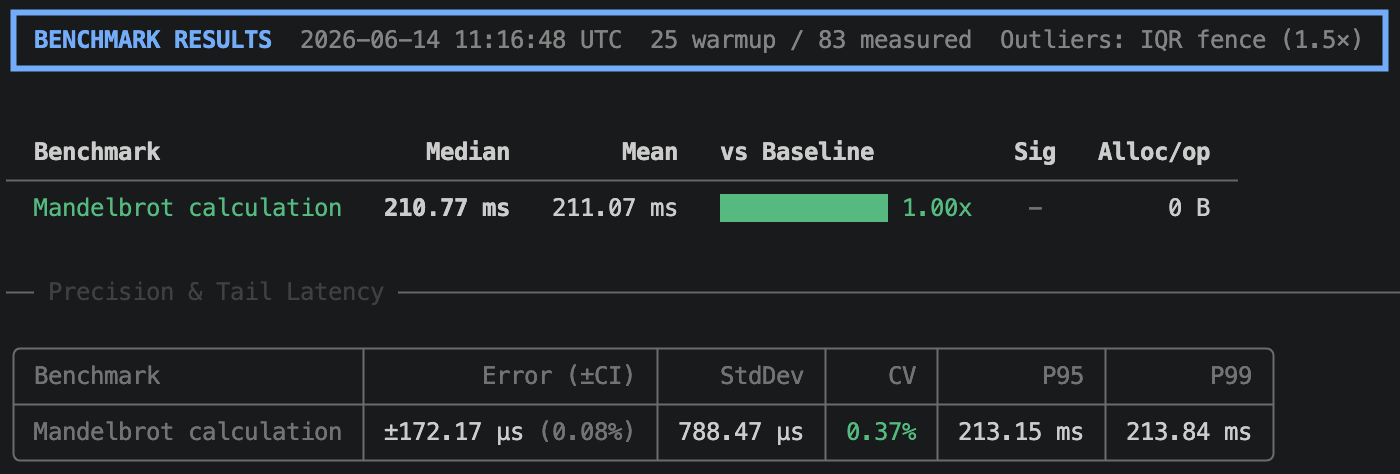
Why NBenchmark?
No setup required.
Benchmark.Run(() => ...)- no attributes, no class structure, no dedicated project. Drop it into a console app, a test, or a scratchpad.Adaptive measurement. No iteration counts to guess. The engine calibrates ops-per-sample for fast methods so timer overhead doesn't dominate, and detects when warmup has plateaued so the JIT has settled. Pin any dimension when you want a fixed, reproducible run.
Statistical rigor built in. Samples stream until the 95% confidence interval is tight enough, then stop. IQR-fence outlier trimming filters OS noise, with a bimodal-distribution warning when discarded samples look like real latency spikes rather than random jitter. A/B comparisons use a Mann-Whitney U test with Cliff's delta effect size (Negligible / Small / Medium / Large), automatically switching to Kruskal-Wallis for three or more implementations.
Pluggable statistics. Swap in your own outlier detector (
IOutlierDetector) or significance test (ISignificanceTest) when the built-in IQR/MAD trimming and rank-based tests don't fit your domain.Low-overhead execution. The measurement loop is reflection-free and uses typed delegates to avoid virtual dispatch and boxing during timing, so the JIT optimizes your benchmark body as it would in production.
Async-native. Measures the true duration of
TaskandTask<T>work without sync-over-async wrappers.Compile-time analysis. The optional
NBenchmark.Analyzerspackage catches common benchmark authoring mistakes - dead code elimination, implicit order dependence, missing return values - as Roslyn diagnostics during build, before you ever run a measurement.
Four modes, one engine
1. Single mode
The fastest way to get a reliable number. No setup required.
var result = Benchmark.Run(() => MyMethod());
var result = await Benchmark.RunAsync(async () => await FetchAsync());
2. Suite mode
Compare implementations side-by-side with ratios and significance testing.
var results = await new BenchmarkSuite("sorting")
    .Add("Array.Sort", () => { var a = data.ToArray(); Array.Sort(a); })
    .Add("LINQ OrderBy", () => { _ = data.OrderBy(x => x).ToArray(); })
    .WithBaseline("Array.Sort")
    .WithReporter(new ConsoleReporter())
    .RunAsync();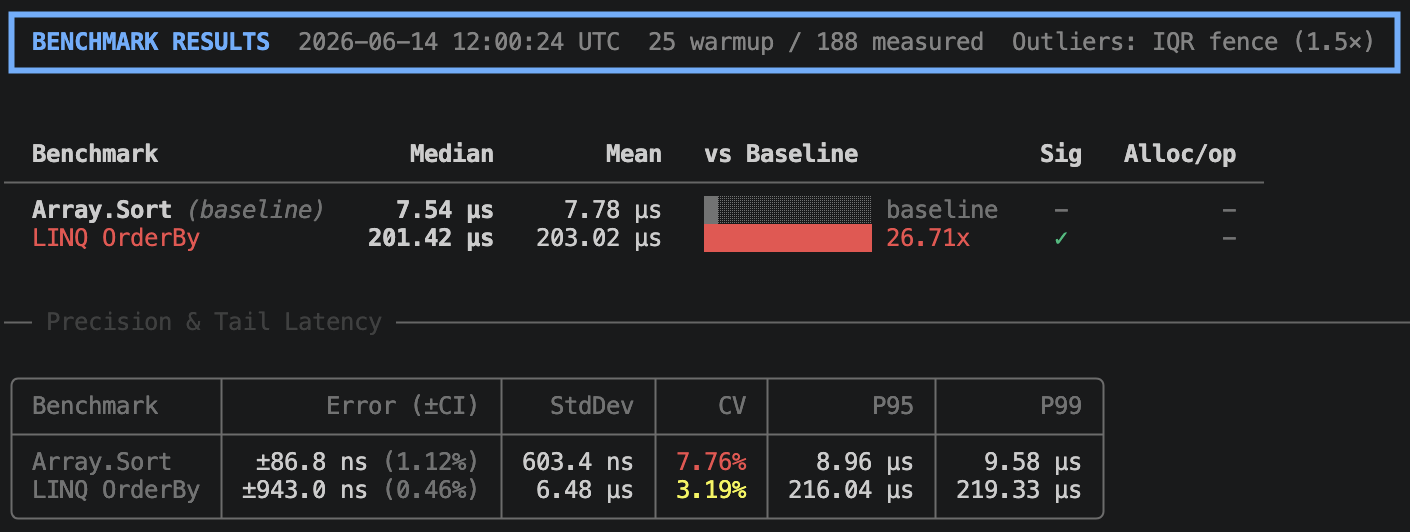
3. Harness mode
Attribute-based discovery with a built-in CLI. Designed for dedicated benchmark projects.
public class StringBenchmarks
{
    [Benchmark(Baseline = true)]
    public string Concat() => "a" + "b" + "c";

    [Benchmark]
    public string Interpolate() => $"{"a"}{"b"}{"c"}";

    [Benchmark]
    public string Format() => string.Format("{0}{1}{2}", "a", "b", "c");

    [Benchmark]
    public string Join() => string.Join("", "a", "b", "c");

    [Benchmark]
    public string Create() => new string(new[] { 'a', 'b', 'c' });
}

await BenchmarkHarness.Create(args).AddFromAssembly<StringBenchmarks>().RunAsync();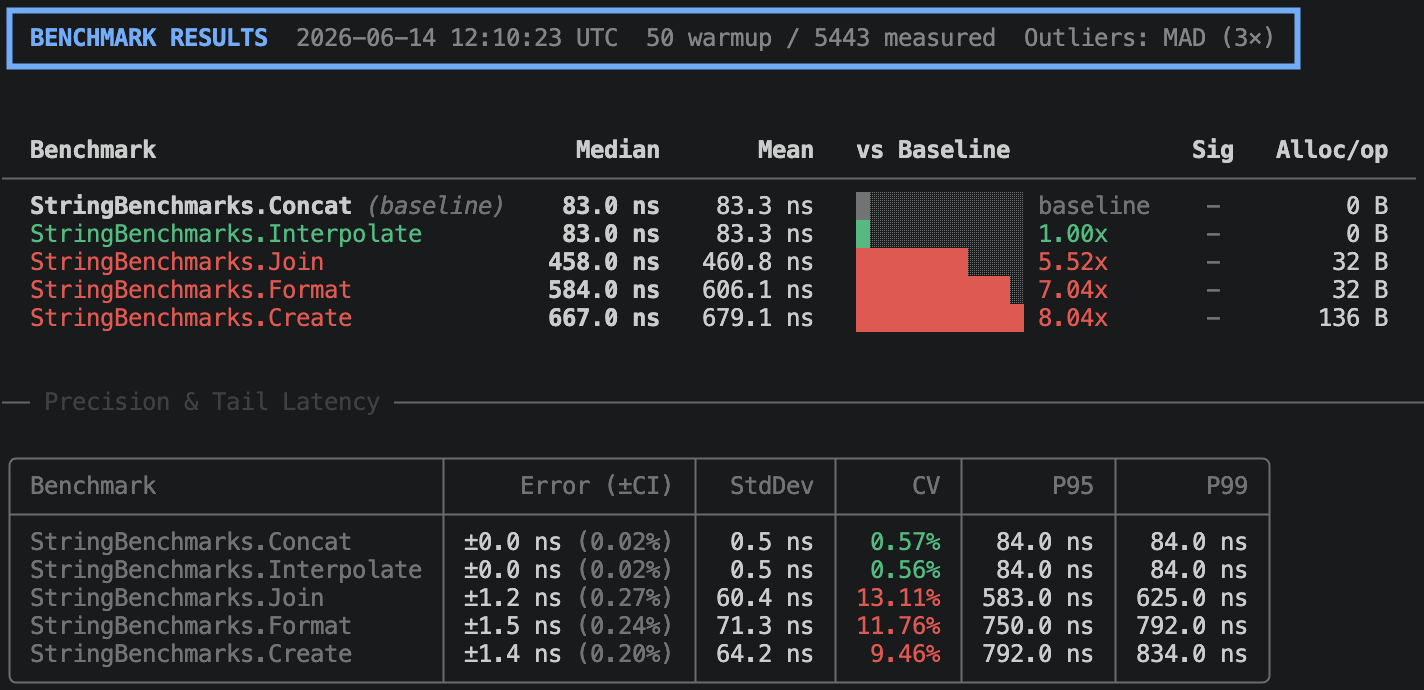
4. Global tool
Install once, benchmark any assembly with [Benchmark] methods - no project needed.
dotnet tool install -g NBenchmark.Tool
dotnet benchmark --project ./MyApp.Benchmarks
dotnet benchmark --assembly ./bin/Release/net10.0/MyLib.dll
All harness CLI flags pass through (--filter, --reporter, --output, --threshold-pct, etc.).
Features
- Parameterized benchmarks. Run the same body across multiple input values to see how an algorithm scales -
WithParameterin Suite mode,[BenchmarkCase]in Harness mode. (Suite / Harness) - Categories. Tag benchmarks with
[BenchmarkCategory]and include or exclude groups from a run via CLI flags or the programmatic filter API. (Categories) - Isolated runs. Run benchmarks in freshly spawned child processes so JIT, GC, and thread-pool state from earlier work can't bias later measurements; isolated by default in Harness mode. (Isolated runs)
- Multi-runtime comparison. Build and run the same benchmarks across net8, net9, and net10 in separate child processes and compare side-by-side. (Multi-runtime)
- Multiple launches. Repeat each benchmark as independent launches to surface run-to-run variance and produce cross-launch aggregation stats. (Multiple launches)
- Environment control. Pin CPU affinity, raise process priority, and detect noisy hosts to reduce measurement noise at its source. (Environment control)
- Performance gates in CI. Enforce absolute or relative performance thresholds as xUnit, NUnit, or MSTest tests that fail on regression. (Test integration)
- CI regression gate. Fail the harness run with a non-zero exit code when any benchmark regresses beyond a percentage against the baseline (
--threshold-pct). (CLI reference) - Runtime diagnostics. Record GC collection counts, heap state, exceptions, and CPU time per operation alongside timings. (Diagnostics)
- Live telemetry. Stream per-sample, per-phase, and per-detector events to an
IMeasurementObserver, or export spans and metrics to OpenTelemetry via the built-inSystem.Diagnosticsinstrumentation. (Observers / OTel)
Packages
| Package | Purpose |
|---|---|
NBenchmark | Zero-dependency core engine and statistics |
NBenchmark.Analyzers | Compile-time checks for benchmark correctness |
NBenchmark.DependencyInjection | Constructor injection for benchmark classes |
NBenchmark.Tool | dotnet global tool - run benchmarks from the CLI without a project |
NBenchmark.Reporters.Console | Rich terminal tables via Spectre.Console |
NBenchmark.Integration.xUnit | xUnit performance assertions |
NBenchmark.Integration.NUnit | NUnit performance assertions |
NBenchmark.Integration.MSTest | MSTest performance assertions |
Getting started
- Installation - add the NuGet packages
- Quick Start - your first benchmark in 60 seconds
- Key Concepts - warmup, outliers, and statistics
- Usage modes - detailed walkthroughs for each mode
- Features - parameterized benchmarks, categories, isolation, multi-runtime, launches, DI
- Configuration - task-based guides and the full options reference
- Analyzers - compile-time diagnostics (NB0001-NB0013)
- Statistics - how the numbers are calculated